Invoice
Bill clients with consistent line items, taxes, and payment terms.
- Clear totals and tax fields
- Client + project reference
- Payment status tracking
LedgerLeaf template packs help you organize invoices, expenses, and supporting schedules in a CRA-friendly format. Use them for internal recordkeeping and share-ready exports.
Scope clarity
Templates for documentation and organization—no automated filing or submissions.
CRA-ready structure
Fields and checklists designed to support typical Canadian recordkeeping needs.
Note: Templates are provided for informational and organizational purposes only and do not constitute tax, legal, or accounting advice. For guidance specific to your situation, consult a qualified professional. Learn more.
What’s inside a pack
Ask a question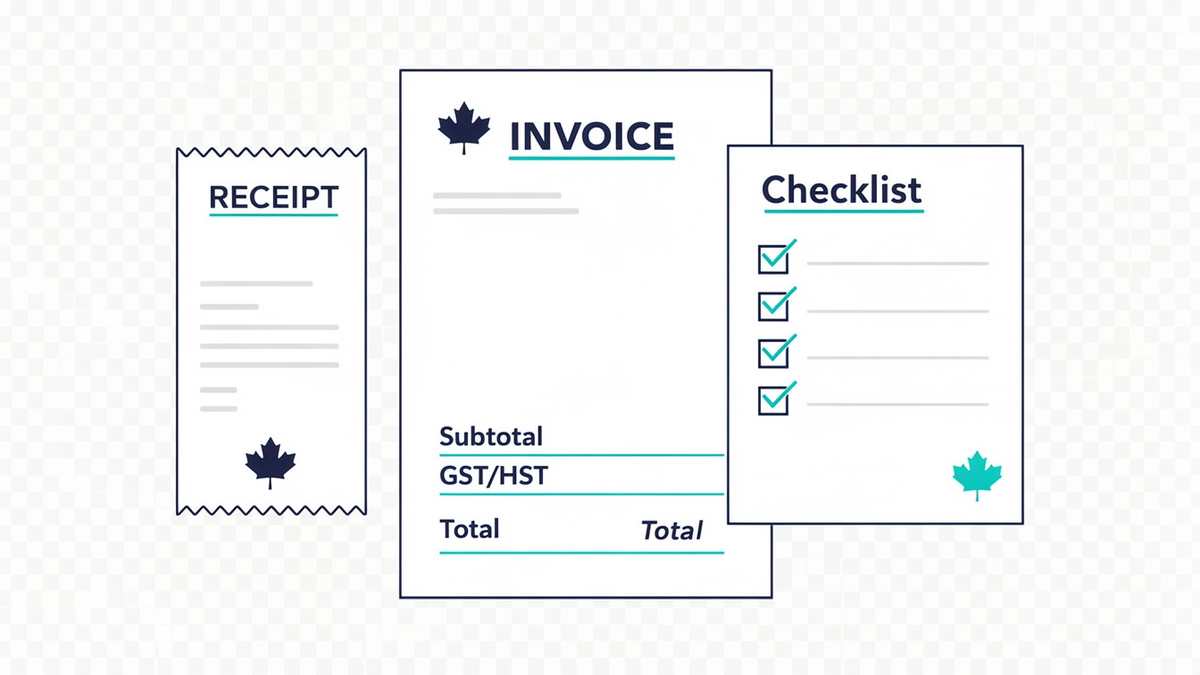
Start with the right set
Answer a few questions and we’ll point you to a practical pack.
Trust & compliance
Our template packs help you organize accounting documents and workflows. They are informational tools—not professional advice.
balwise.click and LedgerLeaf Templates Inc. are not affiliated with, endorsed by, or sponsored by the Canada Revenue Agency (CRA) or any other government authority. Any references to CRA forms, tax slips, or guidance are for identification only.
Information on this site and in template packs is provided for general educational purposes and may not reflect the latest legislative changes. It does not constitute tax, legal, or accounting advice, and does not create a professional-client relationship.
Tip: If you tell us your business type and tools (Excel/Sheets/PDF), we can suggest the smallest pack that fits your workflow.
Get a pack recommendationLast updated: maintained as templates evolve. For legal terms and policies, refer to our site policy pages.
Core packs
Start with the essentials. Each category is designed to be printable, spreadsheet-friendly, and easy to hand off to your accountant.
Bill clients with consistent line items, taxes, and payment terms.
Quote work before you start—then convert to an invoice cleanly.
Track receipts by date, vendor, category, tax, and attachment status.
Capture employee/contractor spend with approvals and reimbursement totals.
A simple general ledger view for monthly close and accountant handoff.
A month-end checklist + folder structure to keep documents consistent.
Answer a few questions and we’ll recommend the best starter pack for your business stage.
Swipe through real-world layouts with short field callouts—so you can post to the right account the first time.
Invoice Tracker
Tip: keep “Paid date” blank until the bank transaction clears—your aging stays accurate.
Built to support accurate bookkeeping, not replace professional advice.
Answer 5 quick questions. We’ll suggest a template pack and route you to request a tailored recommendation.
Progress 0/5
Keep clean records without extra tools
Use this lightweight process so every template pack you download stays audit-friendly: one owner, clear approvals, and a naming scheme that makes “latest” unambiguous.
One place for requests, one owner per document.
Track edits with simple, human-readable versions.
Separate “review” from “approved” so nothing slips.
Lock the final copy and archive older versions.
A predictable name makes sorting, searching, and year-end reviews faster.
YYYY-MM-DD__ClientOrDept__DocType__Topic__vX.Y__STATUS.ext
Example: 2026-06-02__Ops__AP-Approval__VendorOnboarding__v1.2__APPROVED.pdf
Tip: Put templates in categories, then store finalized outputs in a separate “Records” area so templates never get overwritten.
Tell us what you track (AP/AR, payroll, reimbursements, vendor onboarding). We’ll recommend a pack with the right naming and approval fields.
Clear answers on what’s included, how tax fields are handled, and how we preserve template integrity.
Can’t find it? Ask us.
Each pack includes ready-to-use accounting documents (e.g., invoice/estimate, receipt, expense log, and summary sheets where applicable) with consistent naming, print layout, and field conventions. You’ll also get brief usage notes so teammates fill out the same fields the same way.
Yes—our recommended layouts support common Canada tax display patterns. Depending on the pack, you’ll see separate lines for GST/HST and optional provincial tax (PST/QST) with a subtotal, tax rate fields, and a clearly labeled total. If you tell us your province and typical tax scenario, we’ll suggest the best pack variant.
Note: Templates help with record-keeping and presentation; they don’t provide tax advice.
Usually, yes—labels and optional fields can be renamed safely. The main thing is to keep spacing and totals formulas intact (if included). We recommend changes in this order: (1) labels, (2) optional columns, (3) calculated totals. If you want, share a screenshot of your desired output and we’ll point to the safest edit points.
Retention depends on your business type and jurisdiction. Many Canadian businesses keep accounting source documents for multiple years for audit/readiness. We can recommend a sensible “minimum retention” workflow and folder structure, but you should confirm your requirements with your accountant or CRA guidance.
We focus on formats that print cleanly and are easy to share: editable spreadsheet-style templates (for calculations and logs) and PDF-ready layouts (for consistent client-facing documents). If you tell us the tools you use today, we’ll match you to the closest compatible pack.
We use consistent field naming and a predictable structure: client details, line items, subtotals, tax lines, and totals. Where calculations exist, totals reference a small set of clearly labeled cells/columns to reduce breakage during edits. We also keep print margins and alignment stable so exported PDFs match what you see.
Still unsure? Tell us your industry, province, and whether you invoice with GST/HST—and we’ll recommend the best pack.
LedgerLeaf Templates Inc. provides templates for documentation and workflow consistency—not tax or legal advice.
No matches. Try a different term (example: “HST”, “retention”, “PDF”).
Tell us what you’re preparing and we’ll suggest the most useful accounting document templates for your workflow.
If you need to reference a document, describe it generally (e.g., “monthly bank reconciliation for a retail shop”).
LedgerLeaf Templates Inc.
Suite 2300, 1055 W Georgia St, Vancouver, BC V6E 4N7, Canada
[email protected]Practical reads on systems, documentation, and workflow—useful when you’re building repeatable accounting document packs.
How to structure inputs, approvals, and audit-friendly records so staffing activity stays consistent month to month.
A practical blueprint for routing documents and preserving decision trails—helpful for accounting document control.
What to capture across a transaction so your statements, receipts, and supporting schedules stay tidy and review-ready.
Want a short list of the right templates? Tell us what documents you manage and we’ll suggest a pack setup that fits your workflow.
Request recommendations